
CURSOR-BREATHE-MODE
An Emacs minor mode that animates the cursor width in a slow breathing pattern, making it more visible without relying on blinking.
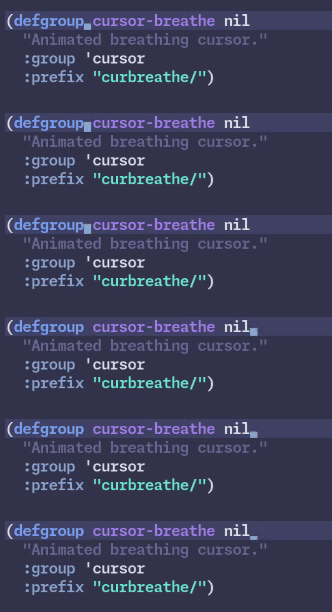
Why
Because it's cool! And while a blinking cursor can be jarring, it is also more visible than a static one. This is both dynamic enough to catch the eye, yet static enough to always be visible.
Installation
straight.el
(straight-use-package '(cursor-breathe-mode
                        :type git
                        :repo "https://git.etenil.net/cursor-breathe-mode.el"))
(cursor-breathe-mode 1)
Or in combination with use-package:
(use-package cursor-breathe-mode
  :straight (cursor-breathe-mode
             :type git
             :repo "https://git.etenil.net/cursor-breathe-mode.el")
  :config (cursor-breathe-mode 1))
Manual
Copy cursor-breathe-mode.el somewhere on your load-path, then:
(require 'cursor-breathe-mode)
(cursor-breathe-mode 1)
Usage
Toggle with M-x cursor-breathe-mode.
Customisation
All options are under M-x customize-group cursor-breathe.
curbreathe/cursor-type: shape to animate:hbar(horizontal bar, default) orbar(vertical bar)curbreathe/min-size: minimum width in pixels (default2)curbreathe/max-size: maximum width in pixels (default8)curbreathe/frame-rate: animation steps per second (default10)
Caveats
Emacs is complex and single-threaded, so sometimes the timer looks 'stuck', it is usually temporary and will defreeze when another command is run.
Only bar and hbar cursor types are supported for the foreseeable future (depends on emacs cursor implementation.)